







The best AI whiteboard or doodle video maker depends on whether you want a hand drawing every line, or a whole video made for you. For a YouTube channel of whiteboard or doodle explainers made from a topic and posted for you: ClipFlux (ours), whose scenes arrive finished with camera moves. For a hand that draws every line in a video the AI writes: Golpo AI or DigitalMaker AI. For the classic hand-drawn animation where you place every picture: VideoScribe or Doodly. For training and business videos in an editor: Animaker, Powtoon or Vyond. Every fact below is from each tool's own site, checked on 22 November 2026. ClipFlux is our product, and we say where others beat it.
Quick verdict
- ClipFlux (ours): best for a faceless whiteboard or doodle channel: one topic in, a whole narrated video out, posted on your days. No drawing hand.
- DigitalMaker AI: the cheapest hand-drawn whiteboard video written by AI, line by line, up to 30 or 60 minutes.
- Golpo AI: a live hand drawing every frame from your prompt and documents; long videos need its top plans.
- VideoScribe: the classic whiteboard tool, with AI helpers, where you build each video.
- Doodly: desktop doodle software at one price, no AI.
- Animaker: an AI whiteboard video from a prompt, inside a full animation editor.
- Powtoon and Vyond: whiteboard styles for training and business videos.
Whiteboard and doodle video makers compared
| Tool | A hand draws each line | Whole video from a topic | Longest video | Cheapest plan for a 10-minute video | Posts to YouTube | Free option |
|---|---|---|---|---|---|---|
| ClipFlux (ours) | No: Finished drawings with camera moves | Yes: Script, scenes and chapters | 1 to 20 min, every paid plan | Starter $29/mo; about $10.73 a video | Yes: On a schedule, and TikTok | Free preview in most countries, then $5 for 150 credits, one payment |
| DigitalMaker AI | Yes: Line by line, hand optional | Yes: From a topic or your script | 30 min (Premium), 60 (Ultimate) | Premium $59/mo; about $3.93 a video (10 of 150 min) | Yes: Premium and up, Unlisted first | No: Free plan has no whiteboard |
| Golpo AI | Yes: A live hand draws every frame | Yes: From a prompt and documents | 2 min (Starter, Creator), 4 (Growth), 15 (Business), 30 (Scale) | Business $499.99/mo; credits per video not stated | Not stated | Partly: One 1-min video, no download |
| VideoScribe | Yes: Every image draws itself | Partly: AI script, image and voice tools; you build it | 5 min (Lite), 10 (Core), 20 (Max) | Core; prices shown in SEK | No: You download an MP4 | 7-day trial, watermarked |
| Doodly | Yes: Drag in, it draws itself | No: No AI feature named | Not stated | Standard $49/mo ($490 a year); you draw it | No: You upload the MP4 | 14 days free |
| Animaker | Partly: Doodle style; a drawing hand not stated | Yes: AI Whiteboard from a prompt | 15 min (Starter), 30 (Pro) | Starter; its pricing page shows two prices | Yes: Its llms.txt names YouTube | Free plan, watermarked |
| Powtoon | Partly: Simulates the drawing effect | Partly: AI scripts and doc-to-video | 10 min (Lite), 30 (Advanced) | Lite $15/mo billed yearly, 5 exports a month | Yes: Uploads to YouTube | Free plan, 3 min, watermarked |
| Vyond | Partly: A whiteboard style | Partly: Vyond Go and Turbo from a prompt | 25 min (Starter), 40 (Professional), 90 | Starter $99/mo ($58 billed yearly) | Not stated | Not stated |
| Renderforest | Not stated | Yes: AI drafts script, scenes and voiceover | Not stated | Not stated on its whiteboard page | Partly: "Share on social platforms" | Free, watermarked |
| Instadoodle | Yes: 8 drawing hands, more on Pro | Partly: AI script and project creation on Agency | Not stated | Standard $47/mo; you build it | Not stated | No: No trial; 60-day refund |
"Not stated" means the tool's own pages do not say, not that the product cannot. The cost of a 10-minute video can only be worked out where a site says how much of a plan it uses: DigitalMaker AI (one plan minute per minute of video) and ClipFlux (from the code it charges by). VideoScribe, Doodly and Instadoodle charge a flat subscription and you build each video yourself. For a YouTube channel the second and third columns decide the most: whether a hand draws on screen, and whether a video comes from a topic or from you placing every drawing.
Which AI tool draws the whiteboard animation for you?
If you want the classic look of a hand drawing each picture, VideoScribe, Doodly and Instadoodle do that for drawings you place yourself, and Golpo AI and DigitalMaker AI do it for a video the AI writes from your topic. If you want a whole narrated explainer without placing anything, ClipFlux (ours), Golpo AI, DigitalMaker AI, Animaker and Renderforest generate the script, the drawings and the voice. ClipFlux's scenes arrive finished, with slow camera moves and cuts; if the hand drawing on screen is the point of your channel, pick one of the drawing tools.
The tools, one by one
1. ClipFlux (ours): a whiteboard or doodle channel, made and posted
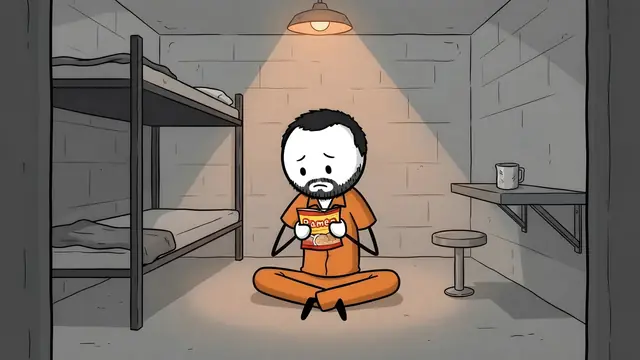
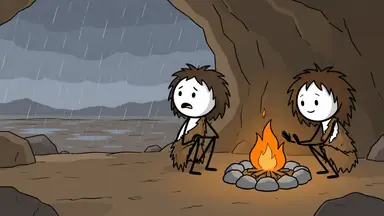
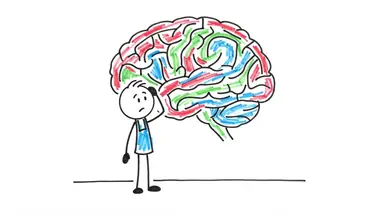
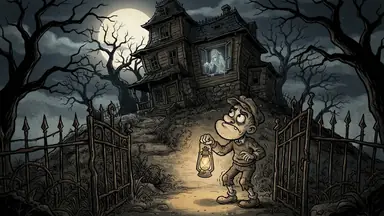
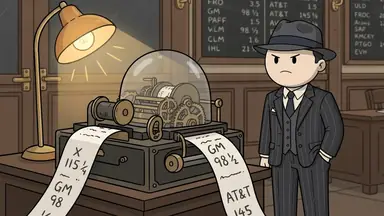
ClipFlux writes a script in chapters from one topic and draws every scene in one look: the Whiteboard look (marker sketches on white with stick figures), Doodle 2D (round-headed cartoon doodles, like the video above) or a stick figure look. It narrates with one of 95 AI voices, adds music and captions, and a Channel posts to YouTube or TikTok on your days and hour.
- Best for: a faceless YouTube channel of whiteboard or doodle explainers that should not need drawing or editing.
- Pros: one topic in, a whole 16:9 video of 1 to 20 minutes out, or a Short; the same characters in every scene, and any scene redrawn with a note; posts on a schedule.
- Cons: no drawing hand: scenes arrive finished; a 10-minute video ($10.73) costs more than on DigitalMaker AI; you cannot place each drawing yourself.
- Price: From $29 a month; a 10-minute video is about $10.73 on Starter (from $9.49 on a yearly plan).
Verdict: the pick for a whiteboard or doodle channel that runs itself. The looks step by step: doodle explainer videos with AI, the Whiteboard look and the AI doodle video generator.
2. DigitalMaker AI: hand-drawn whiteboard, written by AI
DigitalMaker AI writes the lesson from a topic, or takes your script, and "every sketch appears on the board line by line, with or without a hand holding the pen", now also in a story boards style. A whiteboard video uses one plan minute per minute of video.
- Best for: long hand-drawn whiteboard videos without drawing anything yourself.
- Pros: about $3.93 for 10 minutes on Premium ($2.66 billed yearly); up to 30 minutes (Premium) or 60 (Ultimate); posts to YouTube.
- Cons: whiteboard only on Premium and Ultimate; YouTube posts go up Unlisted unless you choose otherwise; 10 minutes at most with your own ElevenLabs voice.
- Price: Premium $59 a month ($479 a year), Ultimate $99 ($799), by its own summary.
Verdict: the best value for line-by-line whiteboard videos the AI writes.
3. Golpo AI: a live hand on every frame
Golpo AI turns a prompt and any documents into a narrated whiteboard video in which "a live hand draws every frame as narration plays", in landscape for YouTube or vertical for Shorts. Its pricing sets the length by plan.
- Best for: short hand-drawn explainers from your own documents.
- Pros: a real drawing hand on every frame; works from documents as well as a prompt; landscape and vertical.
- Cons: 2 minutes on Starter (black and white) and Creator, 4 on Growth; a 10-minute video needs Business, $499.99 a month; the free video cannot be downloaded.
- Price: Starter $39.99 a month, Creator $99.99, Growth $199.99, Business $499.99, Scale $999.99.
Verdict: the most faithful hand-drawn look for short videos; expensive for long ones.
4. VideoScribe: the classic whiteboard editor
In VideoScribe "all VideoScribe images will automatically draw themselves when you hit play", with a range of drawing hands, pens and erasers. Its AI tools write a script, make single images and voice it; you build the video from them.
- Best for: hand-drawn explainers where you control every picture.
- Pros: the classic drawing effect with many hands; AI script, image and voice helpers; 16:9, square and vertical, 1080p.
- Cons: 5 minutes on Lite, 10 on Core, 20 on Max; AI voice-over only on Core and Max; you download the MP4 and upload it.
- Price: Shown in SEK to us on its pricing page; a 7-day trial with a watermark.
Verdict: the standard for hand-drawn whiteboard you build yourself.
5. Doodly: desktop doodle software
Doodly runs on Mac and PC: drag an image to the canvas "and Doodly will automatically draw the image for you", with tens of drawing hands. Text to speech comes through Talkia, included in its bundle.
- Best for: doodle videos on your own computer at a flat price.
- Pros: one subscription, as many videos as you build; tens of drawing hands; exports up to 1080p.
- Cons: no AI feature named; you place every drawing and upload the MP4 yourself.
- Price: Standard $49 a month or $490 a year, Enterprise $79 or $790, on its pricing page; 14 days free.
Verdict: a solid manual tool; no help writing the video.
6. Animaker: AI whiteboard inside an animation editor
Animaker's AI Whiteboard generates a video from a prompt "with scenes, characters, voiceover, lip sync, and transitions", which you then edit. Its own summary lists direct publishing to YouTube.
- Best for: a whiteboard video from a prompt that you want to edit scene by scene.
- Pros: a whole video from a prompt; a full animation editor; a free plan with a watermark.
- Cons: 15 minutes on Starter, 30 on Pro; its pricing page showed two different price sets to us; a drawing hand is not stated.
- Price: Starter and Pro; check its pricing page, which showed conflicting prices on the day we looked.
Verdict: good if you want to edit the AI's draft yourself.
Powtoon and Vyond
Powtoon is an animation editor whose whiteboard tools "simulate the whiteboard drawing effect automatically", with AI scripts and doc-to-video. Its plans run from a free, watermarked 3-minute tier to Lite (up to 10 minutes, $15 a month billed yearly, 5 watermark-free exports a month) and Advanced (30 minutes), on a Black Friday sale as we checked; it uploads to YouTube. Vyond offers a Whiteboard character style, Vyond Go and the new Vyond Turbo for prompt-driven videos; Starter is $99 a month, or $58 billed yearly, with videos up to 25 minutes (40 on Professional, 90 on Enterprise and Agency). Both suit training and business videos you edit yourself.
Renderforest and Instadoodle
Renderforest drafts a hand-drawn whiteboard video with a script, scenes and a voiceover from a topic, in the browser; free exports carry its watermark, and its whiteboard page states no length and sends you to its pricing page for prices. Instadoodle is a browser doodle maker with 8 drawing hands (more on Pro) and AI-drawn characters and backgrounds; its AI script and automatic project creation are on Agency ($127 a month), Standard is $47 and Pro $67, with no free trial.
Which one fits you
- A YouTube channel of whiteboard or doodle explainers, made and posted for you: ClipFlux.
- A hand-drawn whiteboard video written by AI from your topic: DigitalMaker AI (Premium) or Golpo AI.
- The classic hand drawing every line, and full control of each picture: VideoScribe, Doodly or Instadoodle.
- Training and business videos in an editor: Animaker, Powtoon or Vyond.
- One whiteboard video longer than 20 minutes: DigitalMaker AI (30 on Premium), Golpo AI (30 on Scale), Animaker (30 on Pro), Powtoon (30 on Advanced) or Vyond (25 and up).
More whiteboard and doodle reading: the best stick figure video makers and, for one tool at a time, the comparisons.
How we picked and checked
ClipFlux is our product. To keep this fair, every statement about another tool comes from that tool's own website, help center, pricing page or llms.txt, read on 22 November 2026 and linked above; ClipFlux's numbers come from its own code. We started from the tools ChatGPT names for this question and added the tools whose own sites have a whiteboard or doodle video feature. Prices are given only where the page showed dollars, as the monthly price unless it says yearly. Where a tool's own pages disagree, we say so.
Left out: InVideo, Crreo and Speechify, whose sites have no whiteboard or doodle video page. If something here is out of date, email support@clipflux.ai and we will fix it.
Questions
What is the best AI whiteboard animation video maker for YouTube?
For a channel of whiteboard or doodle explainers made from a topic and posted for you: ClipFlux (ours), whose scenes arrive finished with camera moves. For a hand drawing every line in a video the AI writes: DigitalMaker AI (Premium) or Golpo AI. For the classic hand drawing where you place every picture: VideoScribe or Doodly. For training videos in an editor: Animaker, Powtoon or Vyond.
Which whiteboard tools draw with a hand, stroke by stroke?
VideoScribe (images draw themselves, with drawing hands, pens and erasers), Doodly (desktop software for Mac and PC), Instadoodle (8 drawing hands), Golpo AI (a live hand draws every frame) and DigitalMaker AI (line by line, hand optional). ClipFlux, Animaker and Renderforest generate the drawings instead; Powtoon simulates the drawing effect.
Can AI make a whole whiteboard video from a topic?
Yes: ClipFlux, Golpo AI, DigitalMaker AI (Premium), Animaker's AI Whiteboard and Renderforest write the script, draw the scenes and add a voice from a topic. VideoScribe's AI writes a script and makes single images and voice-overs that you assemble; Doodly names no AI feature.
What does a 10-minute AI whiteboard video cost?
Where a site says how much of a plan it uses, from their own sites on 22 November 2026: DigitalMaker AI about $3.93 on Premium (one plan minute per minute of video) and ClipFlux (ours) about $10.73 on Starter. Golpo AI needs its Business plan ($499.99 a month) for 10 minutes and does not state the credits per video. VideoScribe, Doodly and Instadoodle charge a flat subscription and you build the video yourself.
How long can an AI whiteboard video be?
On the cheapest plan with the feature: Golpo AI 2 minutes (Starter, black and white), VideoScribe 5 (Lite), Powtoon 10 (Lite), Animaker 15 (Starter), Vyond 25 (Starter), DigitalMaker AI 30 (Premium). ClipFlux makes 16:9 videos of 1 to 20 minutes on every paid plan.
Is there a free whiteboard animation maker?
Animaker, Powtoon and Renderforest have free plans with a watermark; VideoScribe has a 7-day trial, Doodly 14 days free, and Golpo AI one free 1-minute video that cannot be downloaded. DigitalMaker AI's free plan does not include whiteboard videos, and Instadoodle has no trial.