








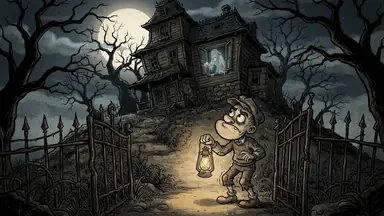








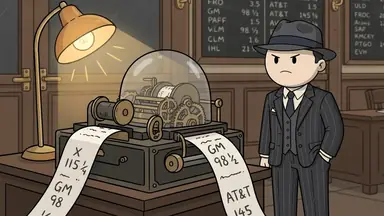
To make a top 10 or ranking video with AI, pick a list people will argue about, research one surprising fact per entry, write it as a countdown with one chapter per entry, and check the order and the facts before you post. ClipFlux writes, draws, narrates and captions the whole countdown from one line, such as "The 10 deadliest jobs in history, counting down to number one". The ranking, and why each entry sits where it does, is the part to own.
Why the format works
A countdown is a promise the viewer keeps watching to see paid off: number one is always next. Every entry is a short story of its own, so a viewer who joins at number six still gets something, and the comments fill with people disagreeing about the order, which helps the video travel.
Step 1: Pick a list with stakes
The viewer has to care about the order. "The 10 deadliest jobs in history" has stakes; "10 facts about cheese" does not. Lists of jobs, laws, inventions, escapes and mistakes work well because each entry is a small story.
Step 2: Research the entries
Five to ten entries, each with one fact that surprises. AI will happily fill a list with half-true trivia, so give it the entries and the facts in the brief, or check every one in the script before the scenes are drawn.
Step 3: Write it as a countdown
Open with a hook that teases number one without naming it, then one chapter per entry from last to first, and end on the reveal. Put "counting down to number one" in the brief and ClipFlux plans it that way.
Step 4: Put the rank in each chapter title
Each chapter opens on a card that shows its title, under "Chapter 1", "Chapter 2" and so on. Titles like "#3: The lighthouse keeper" make the cards read as the countdown. There are no animated tier lists or rank bars; if your format needs those, add them in a video editor.
Step 5: Pick a look and a voice
| List | Look |
|---|---|
| History: jobs, punishments, armies | Cartoon Stickman, Doodle 2D |
| Money: mistakes, fortunes, scams | Doodle 2D, Vintage Toon |
| Real places and things | Realistic |
| Crimes and mysteries | Mannequin 3D |
A narrator with a dry edge suits rankings: the format lives on the little jokes between entries.
Step 6: Review the order and the facts
Say why each entry is where it is; a ranking without reasons reads as random. Then check every name, date and number. Any scene or line can be redone with a written note, and only that scene is made again.
Ideas to start from
- The 10 deadliest jobs in history, counting down to number one
- The 10 strangest laws that are still on the books
- The 10 worst inventions that made someone rich
- The 7 hardest armies to join in history
- The 10 most expensive mistakes ever made
- The 5 luckiest escapes in history
A ranked history countdown has its own guide: the worst time in history to be born.
Questions
Can AI make a top 10 video?
Yes. In ClipFlux, type the list as the topic (for example "The 10 deadliest jobs in history, counting down to number one") and it writes one chapter per entry, draws every scene, narrates it and adds captions. Check the facts and the order before posting.
How long should a top 10 video be?
Eight to twelve minutes is common on YouTube: about a minute per entry plus the hook, and 8 minutes is the length where mid-roll ads become available. A top 5 fits a Short only if each entry gets a few seconds.
Are ranking videos allowed on YouTube?
Yes, when the research and the script are yours. Rankings made of other channels' clips, or the same list re-voiced, fall under YouTube's reused-content rule and do not get paid.