



















To make a Fern-style video with AI, use a long-form video generator that does the whole job in one place. In ClipFlux you type one true story as a sentence, choose a 16:9 YouTube video and the Mannequin 3D look, and it writes a chaptered documentary script, generates every scene with every person as a faceless white mannequin, and adds a calm narrator, music and captions. You then review the shots one by one, regenerate the few that miss, and render in 16:9. It takes an afternoon rather than the weeks of 3D work the look suggests. The parts that still need you are the story choice, the fact check and the packaging. More on the AI documentary video generator.
ClipFlux for this style, in short
- Look: Mannequin 3D, applied to every figure in the frame, background crowds included.
- Length: 16:9 YouTube videos of 1 to 20 minutes, planned as a cold open and chapters.
- Characters: a lead you pick or create keeps the same build and costume in every scene.
- Fixes: regenerate one scene with a written note, and only that scene is charged.
- Finish: narration (99 voices in 14 languages), music, captions, a timeline editor for trims and your own footage, and posting to YouTube.
- Cost: 37 credits a minute at Standard pacing or 56 with Fast cuts, from $0.95 a minute on a paid plan. New accounts preview their first video free in most countries, then start with 150 credits for $5, one payment.
You can also build the same video from four separate tools: a chatbot for the script, an image model per scene, a voice generator and an editor. The steps below work either way, and say where the tool you pick matters.
A note on the name: Fern is a YouTube documentary channel, and "Fern-style" is how people search for this look. This guide is about the visual language, not the channel. We are not affiliated with Fern and make no claim about how their videos are produced.
What makes the style work
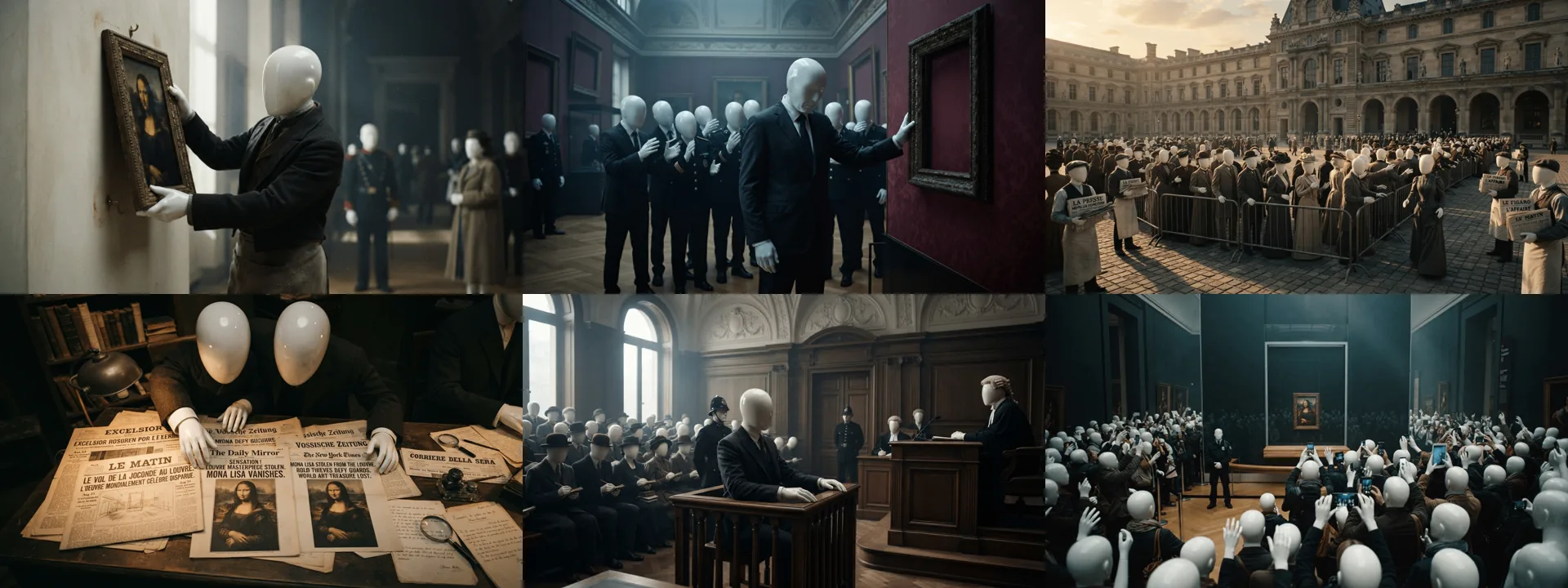
- Faceless figures. Every person is a smooth mannequin with no face. It sidesteps the uncanny valley, it avoids depicting real people's likenesses, and it lets the viewer project onto the characters.
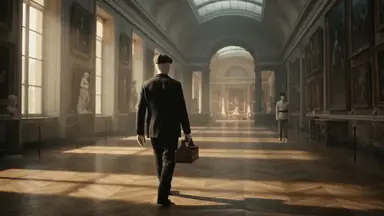
- Real places, cinematic light. The sets are believable: a museum gallery, a courtroom, a street in 1911. Low-key lighting and shallow depth of field do the emotional work that faces normally do.
- Costume carries identity. With no faces, a flat cap, a dark suit and a leather case are the character. The same outfit in every scene is what makes it one person.
- Documentary pacing. A measured narrator, a new image every few seconds, and chapters that each answer a question and raise the next one.
Step 1: Pick a true story with a clear arc
The format rewards stories with one protagonist, one turn and a real ending: a heist, a fraud, a disappearance, an invention that ruined its inventor. Write it as a single specific sentence. "The man who stole the Mona Lisa and kept it in a trunk for two years" gives the planner a person, an object and a timeline. "Famous art thefts" gives it a list, and lists make flat videos.
Step 2: Choose long-form and the mannequin look
Set the format to long-form so the video is planned in 16:9 with chapters, then pick the style. In ClipFlux this is Mannequin 3D. The detail that matters, whatever tool you use: the style has to apply to everyone. Most image models will happily render a mannequin lead surrounded by ordinary human extras, which breaks the illusion in the first crowd scene. Check a crowd shot before you commit to a tool. In ClipFlux the style rule covers background figures too.
Step 3: Generate the chaptered script and narration
The planner turns your sentence into chapters, and each chapter into narrated scenes. In ClipFlux, Fast cuts shows a new picture every few seconds, and Standard (the default) holds one picture per sentence. Read the script before you generate anything paid: cut lines that repeat, and mark every name, date and number for checking later. Then choose a narrator. This style wants a calm, low, unhurried voice; an energetic Shorts voice makes it feel like an ad.
Step 4: Review every shot and fix the weak ones
No generator gets forty scenes right in one pass. Expect a handful to miss: a figure with a face, a prop from the wrong decade, a composition that does not match the line being read. The fix is a written note on that one scene, such as "He makes a run for it. The guards give chase." and a regeneration of that scene alone. You pay for one image, not the video. Tools without per-scene regeneration force a full reroll, which is where most of the hidden cost in AI video lives (more on that in our cost guide).
Step 5: Fact-check, render and publish
Language models write confident history with wrong details. In our own Mona Lisa test the script got a sentence length and a return date wrong, and both read perfectly. Check every marked fact against a source before rendering; the routine is in our guide to AI documentary videos. Then render at 1080p in 16:9 and do the packaging yourself: the title and thumbnail decide whether anyone sees the work.
Stills or motion?
Two ways to produce the scenes. Stills with slow camera moves (push-ins, pans) are cheap, consistent and close to how much of the documentary genre actually looks. Motion clips from a video model add walking figures and moving crowds, cost roughly an order of magnitude more per scene, and introduce more ways for a shot to go wrong. A sensible split for a first video: stills throughout, with motion reserved for the opening hook.
Can this kind of channel be monetized?
YouTube does not exclude AI-generated videos from monetization. Its policy targets inauthentic content: videos that are mass-produced from a template and interchangeable with each other. A channel of researched, individually reviewed stories is on the right side of that line; a channel bulk-publishing raw output is not. One more rule applies to this genre specifically: realistic scenes of real events that never happened as shown need YouTube's altered-content disclosure at upload. Faceless mannequins are clearly stylized, but a documentary about real events is exactly where it is worth ticking the box when in doubt. The full monetization math is in our long-form guide.