
To automate TikTok videos, you connect three pieces: an AI video generator that turns a topic into a finished 9:16 video (script, visuals, voiceover, captions), a review step so nothing bad ships, and a scheduler that posts to your account on a fixed cadence. Tools like ClipFlux run all three as one pipeline, so a channel can publish daily from a queue of topics you set once. The setup takes under an hour; the ongoing work is reviewing output and adjusting topics, not editing video.
The three levels of TikTok automation
"Automation" means different things depending on how much you keep in your hands. It helps to be precise about which level you are buying:
- Assisted creation. AI writes the script or generates clips, but you assemble and post manually. CapCut templates and script generators live here. Cheapest, slowest.
- Full generation. One prompt in, one finished vertical video out: script, scenes, voice and captions done for you. You still download and post yourself.
- Generation plus auto-posting. The tool also holds the connection to your TikTok account and publishes on a schedule. This is the "runs while you sleep" level, and the one most people mean when they search for TikTok automation.
The rest of this guide assumes you want level 3, because levels 1 and 2 are just video making with extra steps.
Step 1: Pick one niche and one format
Automated channels die from being generic, not from being automated. The algorithm needs a consistent signal about who your videos are for, and viewers need a reason to follow rather than just watch. Pick a single niche (history what-ifs, finance facts, horror stories, motivation) and a single visual format, and let every video be a variation of it. A recognizable format is also what makes a series bingeable, which is where follower growth actually comes from.
Step 2: Choose the pipeline
Whatever tool you pick, check it against this list before paying:
- Native 9:16 output at 1080p, without a watermark once you have a plan or any top-up. Watermarked reposts get suppressed.
- A real review step. You want to see every scene before it posts, and fix the one bad scene without regenerating the whole video. In ClipFlux this is frame-by-frame review: you write a note on the scene you dislike ("make the lighting warmer, keep the pose") and only that scene regenerates.
- Scheduled auto-posting to TikTok through the official API, not a bot that simulates taps on a phone farm. Unofficial posting is how accounts get banned.
- Transparent per-video cost. Generation runs on paid AI models underneath. If a tool cannot tell you what one video costs, you will find out at the worst time.
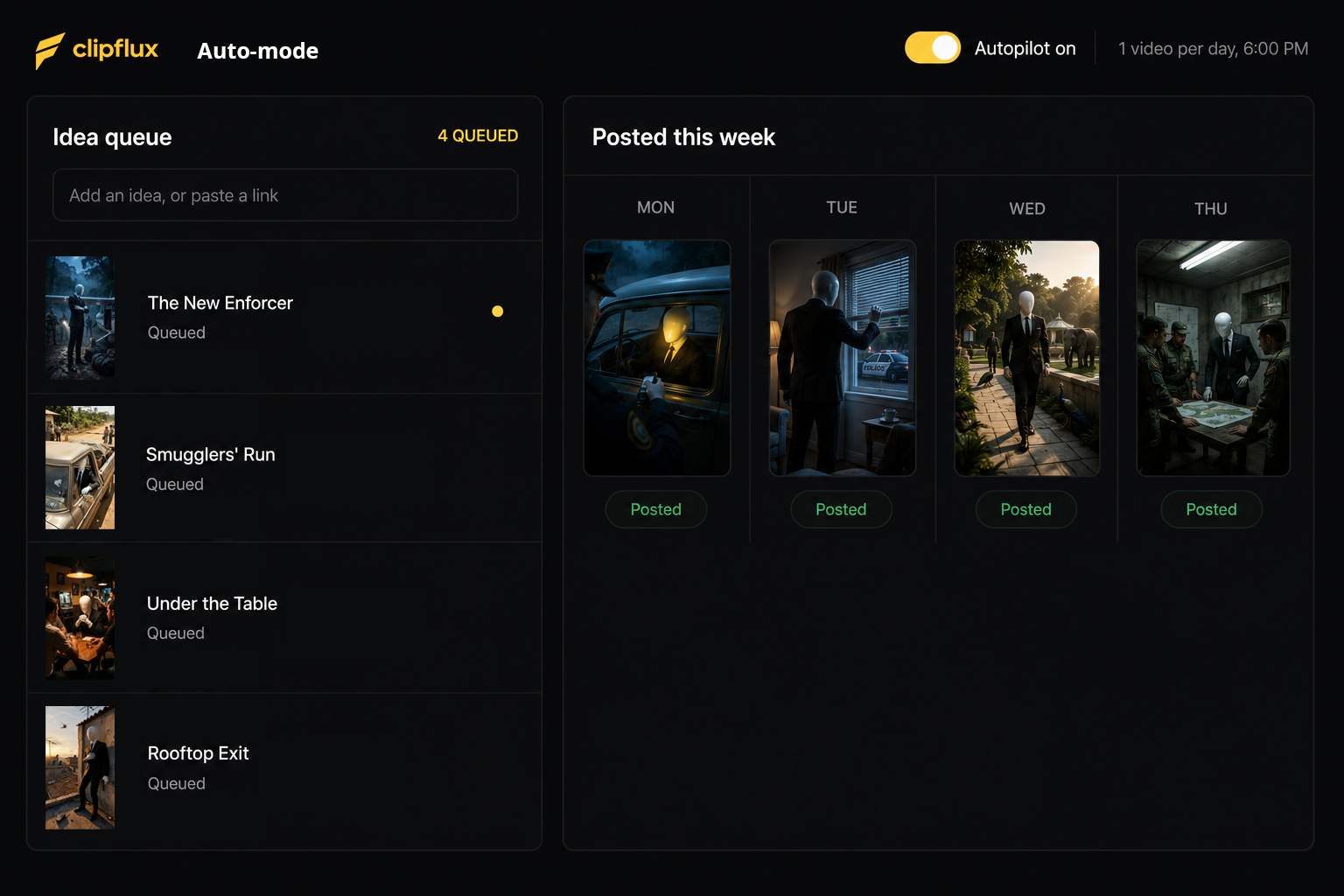
Step 3: Load a topic queue, not one topic
Automation pays off through consistency, and consistency needs a backlog. Write 15 to 30 topic ideas in one sitting while you are in the niche headspace. Concrete beats clever: "POV: you are a Roman soldier on your first day in Britain" will outperform "a video about Rome." Feed the queue to your pipeline and let it work through one per day.
Step 4: Keep a human review gate, at least at first
Fully hands-off from day one is how channels post a video with a garbled hand, a mispronounced name, or a caption typo at scale. For the first few weeks, review every video before it publishes and regenerate the scenes that miss. You are training your own eye for what the model gets wrong in your niche; after that, spot checks are usually enough.
Step 5: Connect the account and schedule
Connect TikTok through the tool's official integration, set the cadence (one per day is the standard starting point), and set the posting time to when your audience is awake, not when it is convenient for you. Disclose AI-generated content where the platform asks for it: TikTok requires labeling realistic AI-generated media, and undisclosed synthetic content is a policy risk that is not worth the reach.
Step 6: Iterate on data, weekly
Once ten or so videos are live, the analytics tell you what to automate more of. Watch average watch time and completion rate over views; views spike randomly, retention does not. Kill the topic angles that hold under 20 percent to the end, and write more of whatever holds above 50. This weekly loop is the actual job once the pipeline runs itself.
What to watch out for
- Quality collapse. Set-and-forget pipelines drift. A model update or a bad topic run can quietly ship a week of weak videos. Keep the spot checks.
- Spam signals. Multiple accounts posting the same generated video, or posting many times a day, pattern matches to spam. One account, one niche, one video a day is durable.
- Sound and trend blindness. Automation handles production, not culture. Checking what is trending in your niche for ten minutes a week keeps your topic queue current.
What it costs
Expect AI video generation to be priced per video or per credit, with a finished short costing anywhere from under a dollar to a few dollars depending on visual quality tier. New accounts start with 150 credits for $5, one payment. Judge the output on your own topics before you commit; plans are on the pricing page. If you are building a faceless channel on YouTube as well, the same pipeline applies, and the details are in our guide to faceless YouTube Shorts with AI.